# react-phone-number-input
[](https://www.npmjs.com/package/react-phone-number-input)
[](https://www.npmjs.com/package/react-phone-number-input)
International phone number `` for React.
[See Demo](http://catamphetamine.github.io/react-phone-number-input/)
## Screenshots
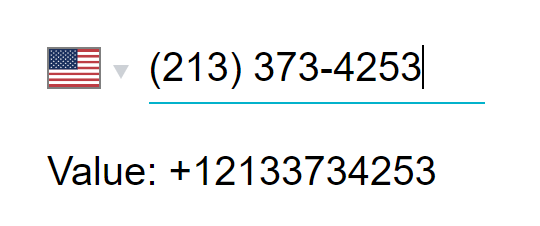
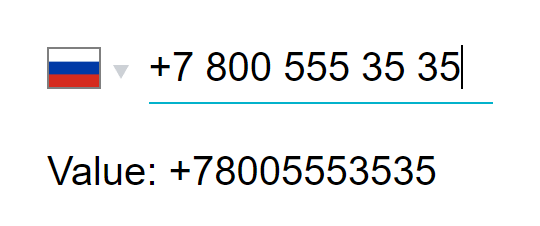
### Phone number input
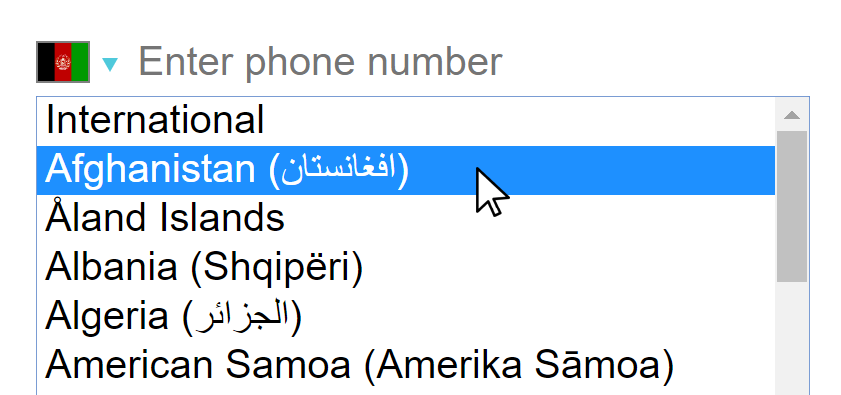
### Country selection on desktop
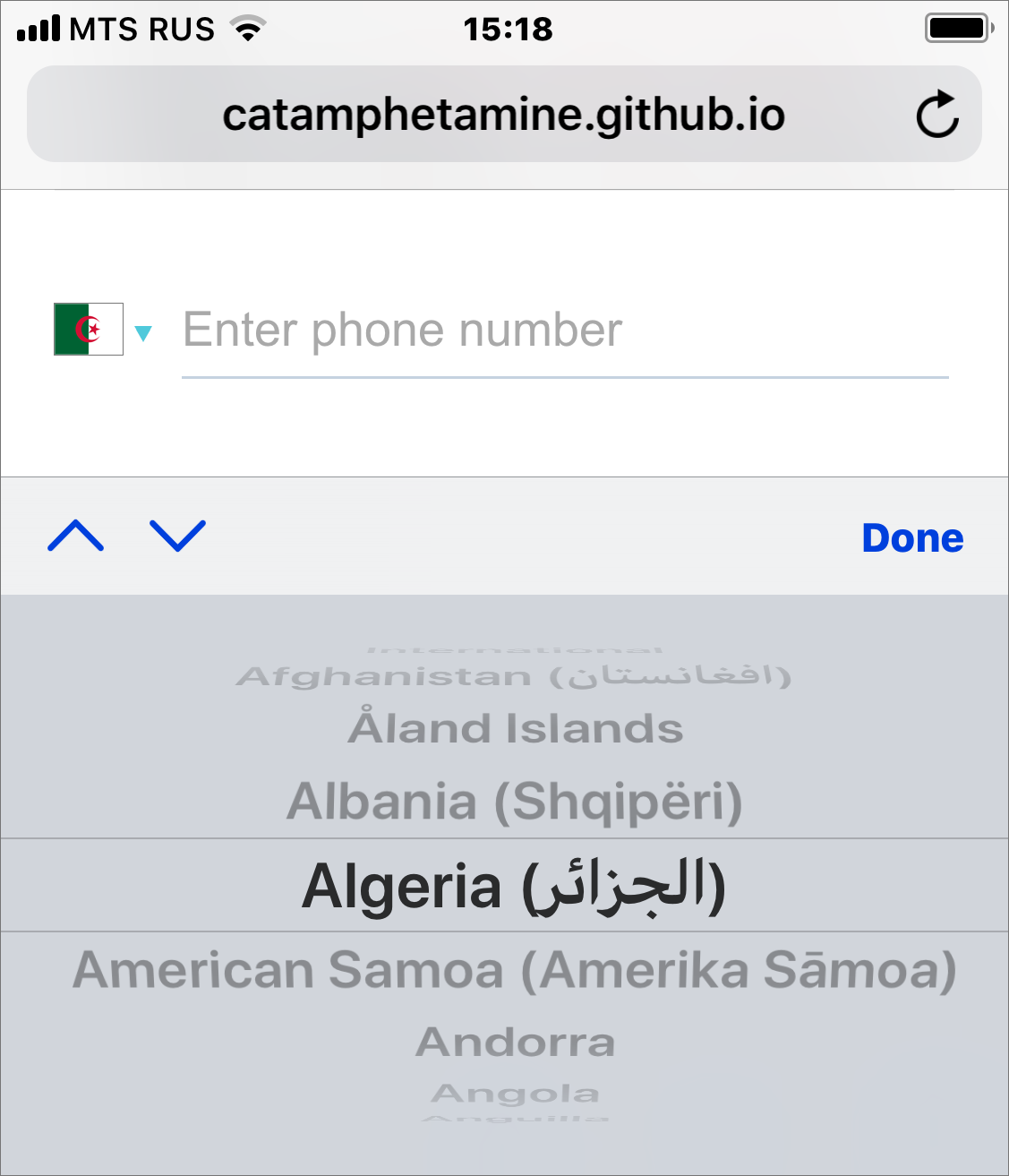
### Country selection on mobile
## Install
```
npm install react-phone-number-input --save
```
If you're not using a bundler then use a [standalone version from a CDN](https://github.com/catamphetamine/react-phone-number-input/#cdn).
## Use
The component requires two properties to be passed: `value` and `onChange(value)`.
```js
import 'react-phone-number-input/style.css'
import PhoneInput from 'react-phone-number-input'
return (
this.setState({ value }) } />
)
```
The `value` argument of `onChange(value)` function will be the parsed phone number in [E.164](https://en.wikipedia.org/wiki/E.164) format. For example, if a user chooses "United States" and enters `(213) 373-4253` in the input field then `onChange(value)` will be called with `value` being `"+12133734253"`.
See the [list of all available `props`](http://catamphetamine.github.io/react-phone-number-input/docs/styleguide/index.html#phoneinput) for ``. All properties not listed there will be passed through to the phone number `` component.
By default, there's some styling applied to the `` (for historical reasons). To prevent applying that styling to the ``, pass `inputStyleReset` property to the component.
To set default country pass a `country` property. Example: ``.
To get selected `country` pass an `onCountryChange(country)` property, or use [`parsePhoneNumber(value)`](#parsephonenumberinput-string-phonenumber) function. Example: `parsePhoneNumber(value) && parsePhoneNumber(value).country`.
To format `value` back to a human-readable phone number use [`formatPhoneNumber(value)`](#formatphonenumbervalue-string-string) and [`formatPhoneNumberIntl(value)`](#formatphonenumberintlvalue-string-string) functions.
There's also a ["without country select"](#without-country-select) phone number input component available.
## CSS
#### When using Webpack
```js
import 'react-phone-number-input/style.css'
```
It is also recommended to set up something like a [`postcss-loader`](https://github.com/postcss/postcss-loader) with a [CSS autoprefixer](https://github.com/postcss/autoprefixer) for supporting old web browsers.
#### When not using Webpack
Get the `style.css` file from this package, optionally process it with a [CSS autoprefixer](https://github.com/postcss/autoprefixer) for supporting old web browsers, and then include the CSS file on a page.
```html
```
Or include the `style.css` file directly from a [CDN](#cdn).
## Utility
This package exports several utility functions.
### `formatPhoneNumber(value: string): string`
Formats `value` as a "local" phone number.
```js
import { formatPhoneNumber } from 'react-phone-number-input'
formatPhoneNumber('+12133734253') === '(213) 373-4253'
```
### `formatPhoneNumberIntl(value: string): string`
Formats `value` as an "international" phone number.
```js
import { formatPhoneNumberIntl } from 'react-phone-number-input'
formatPhoneNumberIntl('+12133734253') === '+1 213 373 4253'
```
### `isPossiblePhoneNumber(value: string): boolean`
Checks if the phone number is "possible". Only checks the phone number length, doesn't check the number digits against any regular expressions like `isValidPhoneNumber()` does.
```js
import { isPossiblePhoneNumber } from 'react-phone-number-input'
isPossiblePhoneNumber('+12133734253') === true
isPossiblePhoneNumber('+19999999999') === true
```
### `isValidPhoneNumber(value: string): boolean`
Validates a phone number `value`.
```js
import { isValidPhoneNumber } from 'react-phone-number-input'
isValidPhoneNumber('+12133734253') === true
isValidPhoneNumber('+19999999999') === false
```
By default the component uses [`min` "metadata"](#min-vs-max-vs-mobile) which results in less strict validation compared to [`max`](#min-vs-max-vs-mobile) or [`mobile`](#min-vs-max-vs-mobile).
I personally [don't use](https://github.com/catamphetamine/libphonenumber-js#using-phone-number-validation-feature) strict phone number validation in my projects because telephone numbering plans sometimes change and so validation rules can change too which means that `isValidPhoneNumber()` function may become outdated if a website isn't re-deployed regularly. If it was required to validate a phone number being input by a user, then I'd personally use something like `isPossiblePhoneNumber()` that just validates phone number length.
### `parsePhoneNumber(input: string): PhoneNumber?`
Parses a [`PhoneNumber`](https://github.com/catamphetamine/libphonenumber-js#phonenumber) object from a `string`. This is simply an alias for [`parsePhoneNumberFromString()`](https://github.com/catamphetamine/libphonenumber-js#parsephonenumberfromstringstring-defaultcountry) from [`libphonenumber-js`](https://github.com/catamphetamine/libphonenumber-js). Can be used to get `country` from `value`.
```js
import { parsePhoneNumber } from 'react-phone-number-input'
const phoneNumber = parsePhoneNumber('+12133734253')
if (phoneNumber) {
phoneNumber.country === 'US'
}
```
### `getCountryCallingCode(country: string): string`
This is simply an alias for [`getCountryCallingCode()`](https://github.com/catamphetamine/libphonenumber-js#getcountrycallingcodecountry) from [`libphonenumber-js`](https://github.com/catamphetamine/libphonenumber-js).
```js
import { getCountryCallingCode } from 'react-phone-number-input'
getCountryCallingCode('US') === '1'
```
## Without country select
This is just a phone number input component without country ``.
```js
import PhoneInput from 'react-phone-number-input/input'
function Example() {
// `value` will be the parsed phone number in E.164 format.
// Example: "+12133734253".
const [value, setValue] = useState()
// If `country` property is not passed
// then "International" format is used.
return (
)
}
```
Receives properties:
* `country: string?` — If `country` is specified then the phone number can only be input in "national" (not "international") format, and will be parsed as a phone number belonging to the `country`. Example: `country="US"`.
* `international: boolean?` — If `country` is specified and `international` property is `true` then the phone number can only be input in "international" format for that `country`, but without "country calling code" part. For example, if `country` is `"US"` and `international` property is not passed then the phone number can only be input in the "national" format for `US` (`(213) 373-4253`). But if `country` is `"US"` and `international` property is `true` then the phone number will be input in the "international" format for `US` (`213 373 4253`) without "country calling code" part (`+1`). This could be used for implementing phone number input components that show "country calling code" part before the input field and then the user can fill in the rest of their phone number in the input field.
* `defaultCountry: string?` — If `defaultCountry` is specified then the phone number can be input both in "international" format and "national" format. A phone number that's being input in "national" format will be parsed as a phone number belonging to the `defaultCountry`. Example: `defaultCountry="US"`.
* If neither `country` nor `defaultCountry` are specified then the phone number can only be input in "international" format.
* `value: string?` — Phone number `value`. Examples: `undefined`, `"+12133734253"`.
* `onChange(value: string?)` — Updates the `value`.
* `inputComponent: component?` — A custom `` component can be passed. In that case, it must be a `React.forwardRef()` to the actual ``.
* `smartCaret: boolean?` — By default, the `` uses "smart" caret positioning. To turn that behavior off one can pass `smartCaret={false}` property.
* `useNationalFormatForDefaultCountryValue: boolean?` — When `defaultCountry` is defined and the initial `value` corresponds to `defaultCountry`, then the `value` will be formatted as a national phone number by default. To format the initial `value` of `defaultCountry` as an international number instead set `useNationalFormatForDefaultCountryValue` property to `false`.
See the [demo](http://catamphetamine.github.io/react-phone-number-input/) for the examples.
For those who want to pass custom `metadata` there's `react-phone-number-input/input-core` subpackage.
#### Creating custom country ``
This library also exports `getCountries()` and `getCountryCallingCode(country)` functions so that a developer could construct their own custom country select. Such custom country `` could be used in conjunction with "without country select" input described above.
```js
import { getCountries, getCountryCallingCode } from 'react-phone-number-input/input'
import en from 'react-phone-number-input/locale/en.json'
```
See the [demo](http://catamphetamine.github.io/react-phone-number-input/) for the example.
## Flags
Including all country flags in the code in SVG format would be the best way to go but turns out they take an extra 550 kB when gzipped. That's the reason why all country flags are included as `` from [`flag-icon-css`](http://flag-icon-css.lip.is/) repo GitHub pages (can be overridden via [`flagsPath`](http://catamphetamine.github.io/react-phone-number-input/docs/styleguide/index.html#phoneinput) property).
To include all country flags in code in SVG format:
```js
import PhoneInput from 'react-phone-number-input'
import flags from 'react-phone-number-input/flags'
```
## Localization
Language translations can be applied using the `labels` property. This component comes pre-packaged with several [translations](https://github.com/catamphetamine/react-phone-number-input/tree/master/locale) (submit pull requests for adding new language translations).
Where to get country names for any language.
####
Country names can be copy-pasted from [`github.com/umpirsky/country-list`](https://github.com/umpirsky/country-list/blob/master/data/).
```js
JSON.stringify(
Object.keys(countries).sort()
.reduce((all, country) => ({ ...all, [country]: countries[country] }), {}),
null,
'\t'
)
````
####
The `labels` format is:
```js
{
// Country `` `aria-label`.
"country": "Country",
// Phone number `` `aria-label`.
// (not set by default)
"phone": "Phone",
// Phone number "extension" `aria-label`.
// (not set by default)
"ext": "ext.",
// Country names.
"AB": "Abkhazia",
"AC": "Ascension Island",
...,
"ZZ": "International"
}
```
An example of using translated `labels`:
```js
import ru from 'react-phone-number-input/locale/ru'
```
By default, the country `` has `aria-label` set to `labels.country` which is `"Country"` for the default `labels`. When passing `labels` for other languages the default `aria-label` of the country `` will be translated too. To set a custom `aria-label` on the country `` pass a `countrySelectAriaLabel` property to ``.
The phone `` `aria-label` is not set automatically to `labels.phone` for legacy reasons. To set it manually pass an `aria-label` property to ``.
## `min` vs `max` vs `mobile`
This component uses [`libphonenumber-js`](https://github.com/catamphetamine/libphonenumber-js) which requires choosing a "metadata" set to be used, "metadata" being a list of phone number parsing and formatting rules for all countries. The complete list of rules is huge, so `libphonenumber-js` provides a way to optimize bundle size by choosing between `max`, `min`, `mobile` and custom metadata:
* `max` — The complete metadata set, is about `140 kilobytes` in size (`libphonenumber-js/metadata.full.json`). Choose this when you need a strict version of `isValidPhoneNumber(value)` function, or if you need to get phone number type (fixed line, mobile, etc).
* `min` — (default) The smallest metadata set, is about `75 kilobytes` in size (`libphonenumber-js/metadata.min.json`). Doesn't contain regular expressions for advanced phone number validation ([`.isValid()`](https://github.com/catamphetamine/libphonenumber-js#isvalid)) and determining phone number type ([`.getType()`](https://github.com/catamphetamine/libphonenumber-js#gettype)) for most countries. Some simple phone number validation via `.isValid()` still works (basic length check, etc), it's just that it's loose compared to the "advanced" validation (not so strict). Choose this by default: when you don't need to get phone number type (fixed line, mobile, etc), or when a non-strict version of `isValidPhoneNumber(value)` function is enough.
* `mobile` — The complete metadata set for dealing with mobile numbers _only_, is about `105 kilobytes` in size (`libphonenumber-js/metadata.mobile.json`). Choose this when you _only_ work with mobile numbers and a strict version of `isValidPhoneNumber(value)` function is required for validating mobile numbers.
To use a particular metadata set import the component from the relevant sub-package: `react-phone-number-input/max`, `react-phone-number-input/min` or `react-phone-number-input/mobile`.
Importing the component directly from `react-phone-number-input` results in using the `min` metadata which means loose (non-strict) phone number validation.
Sometimes (rarely) not all countries are needed and in those cases the developers may want to [generate](https://github.com/catamphetamine/libphonenumber-js#customizing-metadata) their own "custom" metadata set. For those cases there's `react-phone-number-input/core` sub-package which doesn't come pre-wired with any default metadata and instead accepts the metadata as a property.
## Bug reporting
If you think that the phone number parsing/formatting/validation engine malfunctions for a particular phone number then follow the [bug reporting instructions in `libphonenumber-js` repo](https://github.com/catamphetamine/libphonenumber-js#bug-reporting). Otherwise report issues in this repo.
## Autocomplete
Make sure to put a `` into a `` otherwise web-browser's ["autocomplete"](https://www.w3schools.com/tags/att_input_autocomplete.asp) feature may not be working: a user will be selecting his phone number from the list but [nothing will be happening](https://github.com/catamphetamine/react-phone-number-input/issues/101).
## With custom country ``
One can supply their own country `` component in case the native one doesn't fit the app. See [`countrySelectComponent`](https://github.com/catamphetamine/react-phone-number-input#customizing) property.
For example, one may choose [`react-responsive-ui`](https://catamphetamine.github.io/react-responsive-ui/)'s [`` component](https://github.com/catamphetamine/react-phone-number-input/blob/master/source/CountrySelectReactResponsiveUI.js) over the [native country ``](https://github.com/catamphetamine/react-phone-number-input/blob/master/source/CountrySelectNative.js).
```js
import 'react-phone-number-input/style.css'
// Requires "CSS custom properties" support.
// For Internet Explorer use PostCSS with "CSS custom properties" plugin.
import 'react-responsive-ui/style.css'
// A `` with custom `countrySelectComponent`.
import PhoneInput from 'react-phone-number-input/react-responsive-ui'
return (
this.setState({ phone }) } />
)
```
## Extensions
There's nothing special about a phone number extension input: it doesn't need any formatting, it can just be a simple ``. Still, some users kept asking for a phone number extension input feature. So I added a basic phone number extension input support. It can be activated by passing `ext` property (a `React.Element`, see the demo): in such case phone number extension input will appear to the right of the phone number input.
```js
import React, { Component } from 'react'
import PhoneInput from 'react-phone-number-input'
class Form extends Component {
render() {
const ext = (
)
return (
);
}
}
```
Phone number extensions can be stored in a database separately from the phone number itself, or they can be combined with the phone number itself into a single string using [RFC3966](https://www.ietf.org/rfc/rfc3966.txt) format.
```js
import { formatRFC3966 } from 'react-phone-number-input'
formatRFC3966({ number: '+12133734253', ext: '123' })
// 'tel:+12133734253;ext=123'
```
The accompanying `parseRFC3966()` function can be used to convert an RFC3966 string into an object having shape `{ number, ext }`.
```js
import { parseRFC3966 } from 'react-phone-number-input'
parseRFC3966('tel:+12133734253;ext=123')
// { number: '+12133734253', ext: '123' }
```
## Customizing
The `` component accepts some [customization properties](http://catamphetamine.github.io/react-phone-number-input/docs/styleguide/index.html#phoneinput):
* `metadata` — Custom `libphonenumber-js` ["metadata"](#min-vs-max-vs-mobile).
* `labels` — Custom translation (including country names).
* `internationalIcon` — Custom "International" icon.
* `numberInputComponent` — Custom phone number `` component.
* `countrySelectComponent` — Custom country `` component.
```js
import PhoneInput from 'react-phone-number-input/min'
import metadata from 'libphonenumber-js/metadata.min.json'
import labels from 'react-phone-number-input/locale/ru'
import InternationalIcon from 'react-phone-number-input/international-icon'
```
All these customization properties have their default values. If some of those default values are not used, and the developer wants to reduce the bundle size a bit, then they can use the `/core` export instead of the default export to import a `` component which doesn't include any of the default customization properties: in this case all customization properties must be passed.
```js
import PhoneInput from 'react-phone-number-input/core'
```
#### `countrySelectComponent`
React component for the country select. See [CountrySelectNative](https://github.com/catamphetamine/react-phone-number-input/blob/master/source/CountrySelectNative.js) and [CountrySelectReactResponsiveUI](https://github.com/catamphetamine/react-phone-number-input/blob/master/source/CountrySelectReactResponsiveUI.js) for an example.
Receives properties:
* `name : string?` — HTML `name` attribute.
* `value : string?` — The currently selected country code.
* `onChange(value : string?)` — Updates the `value`.
* `onFocus()` — Is used to toggle the `--focus` CSS class.
* `onBlur()` — Is used to toggle the `--focus` CSS class.
* `options : object[]` — The list of all selectable countries (including "International") each being an object of shape `{ value : string?, label : string, icon : React.Component }`.
* `disabled : boolean?` — HTML `disabled` attribute.
* `tabIndex : (number|string)?` — HTML `tabIndex` attribute.
* `className : string` — CSS class name.
#### `numberInputComponent`
React component for the phone number input field. Is `"input"` by default meaning that it renders a standard DOM ``.
Receives properties:
* `value: string` — The formatted `value`.
* `onChange(event: Event)` — Updates the formatted `value` from `event.target.value`.
* `onFocus()` — Is used to toggle the `--focus` CSS class.
* `onBlur(event: Event)` — Is used to toggle the `--focus` CSS class.
* Other properties like `type="tel"` or `autoComplete="tel"` that should be passed through to the DOM ``.
Must also either use `React.forwardRef()` to "forward" `ref` to the `` or implement `.focus()` method.
## CDN
One can use any npm CDN service, e.g. [unpkg.com](https://unpkg.com) or [jsdelivr.net](https://jsdelivr.net)
```html
```
## Advertisement
[React Responsive UI](https://catamphetamine.github.io/react-responsive-ui/) component library.
## License
[MIT](LICENSE)
 ### Country selection on desktop
 ### Country selection on mobile
 ## Install
```
npm install react-phone-number-input --save
```
If you're not using a bundler then use a [standalone version from a CDN](https://github.com/catamphetamine/react-phone-number-input/#cdn).
## Use
The component requires two properties to be passed: `value` and `onChange(value)`.
```js
import 'react-phone-number-input/style.css'
import PhoneInput from 'react-phone-number-input'
return (
## Install
```
npm install react-phone-number-input --save
```
If you're not using a bundler then use a [standalone version from a CDN](https://github.com/catamphetamine/react-phone-number-input/#cdn).
## Use
The component requires two properties to be passed: `value` and `onChange(value)`.
```js
import 'react-phone-number-input/style.css'
import PhoneInput from 'react-phone-number-input'
return (